If you received a link to our website or monitoring service via Telegram, clicking it will open the page in Telegram’s built-in (in-app) browser.
We do not recommend using the in-app browser because our systеm performs a security check for all exchange operations.
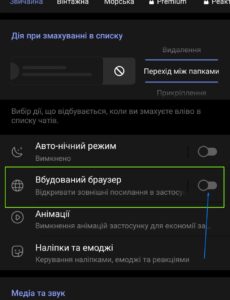
In Telegram, go to Menu → Settings → Chat Settings.
Find the “In-App Browser” toggle and turn this feature off.
Return to the chat where you received the link and click it again. Create a new exchange order. We recommend logging into your account before creating an order.
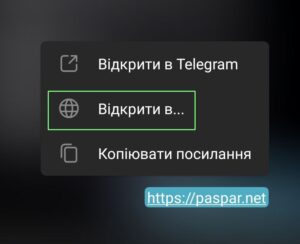
In Telegram, long-press the link to open the context menu.
sеlect “Open in…”. The link should open in Chrome or another browser installed on your device.
Create a new exchange order. We recommend logging into your account before creating an order.
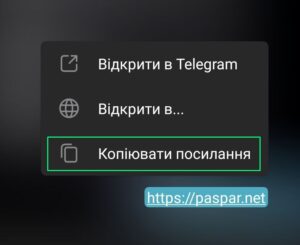
In Telegram, long-press the link to open the context menu.
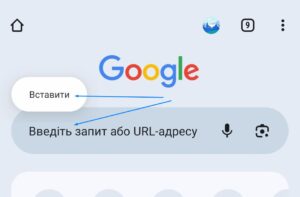
sеlect “Copy Link”. Then, open Chrome or another browser, paste the link into the address bar, and proceed.
Create a new exchange order. We recommend logging into your account before creating an order.